Workspaces in Alliesia
Edit a Workspace in Alliesia
Need to update your workspace? Alliesia makes it simple to edit workspace details directly from the Sidebar.
Click on the three-dot menu next to the workspace name, and select 'Edit Workspace'. A pop-up modal will open where you can update the workspace name, type (Public, Private, Secret), and description.
Step 1: Open the Edit Modal
Locate the workspace in the Sidebar, click the three-dot menu, and select 'Edit Workspace'. The editing modal will appear instantly.
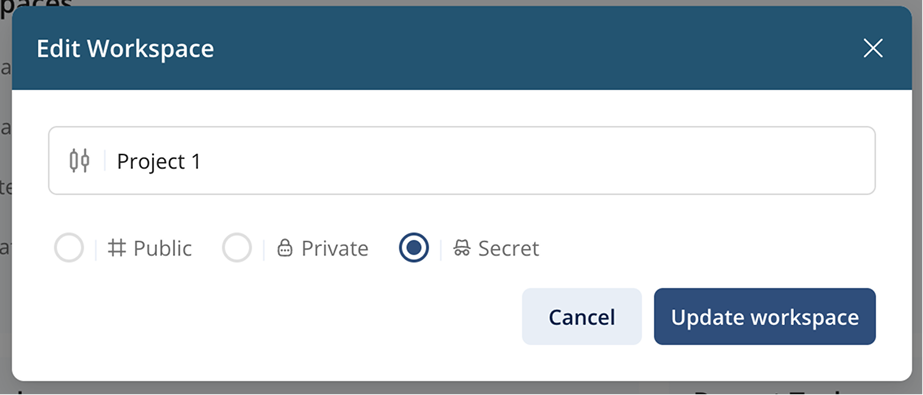
Step 2: Update Workspace Details
Modify the workspace name, change its type if needed, or update other details like description or icon.
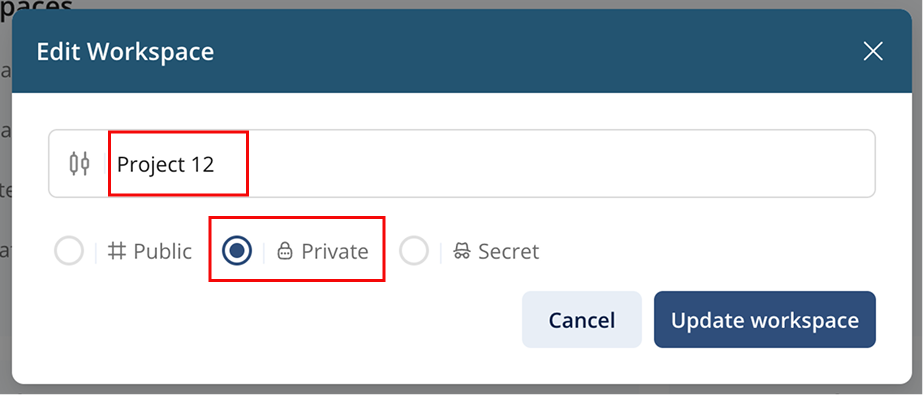
Step 3: Save Changes
After making changes, click 'Save'. The workspace updates immediately and your team can see the new details.
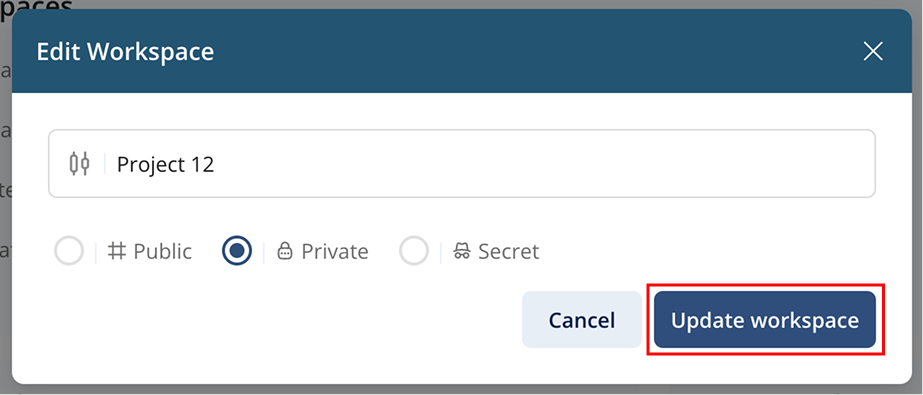
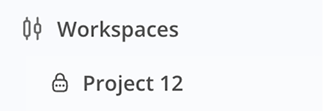
Step 4: After Update
Once changes are saved, it gets reflected onto side menu.
Pro Tip
Keep workspace names clear and relevant so your team members can easily identify each workspace.