Boards in Alliesia
Edit a Board in Alliesia
Edit board details directly from the workspace tabs to keep information up-to-date.
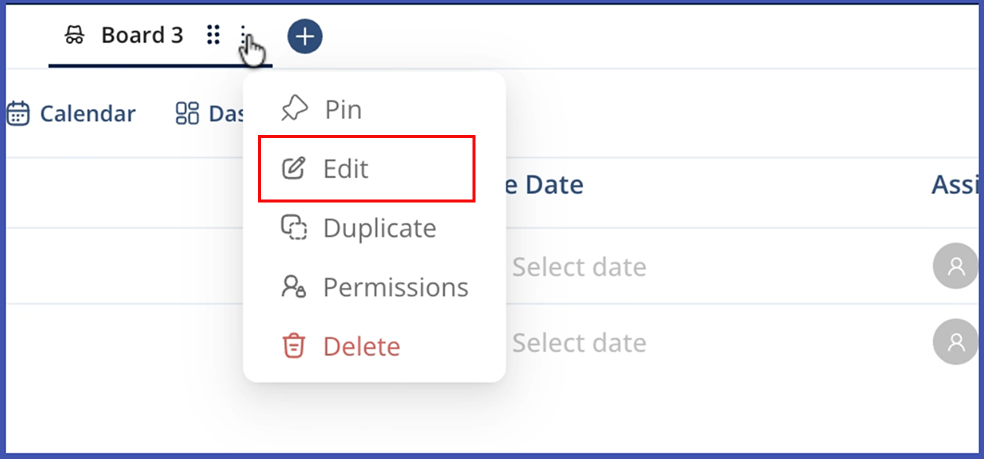
Step 1: Open Edit Board Modal
Click the three-dot menu on the board tab and select 'Edit Board'.
Step 2: Update Board Details
Change the board name, type, description, or adjust columns, tags, and workflows.
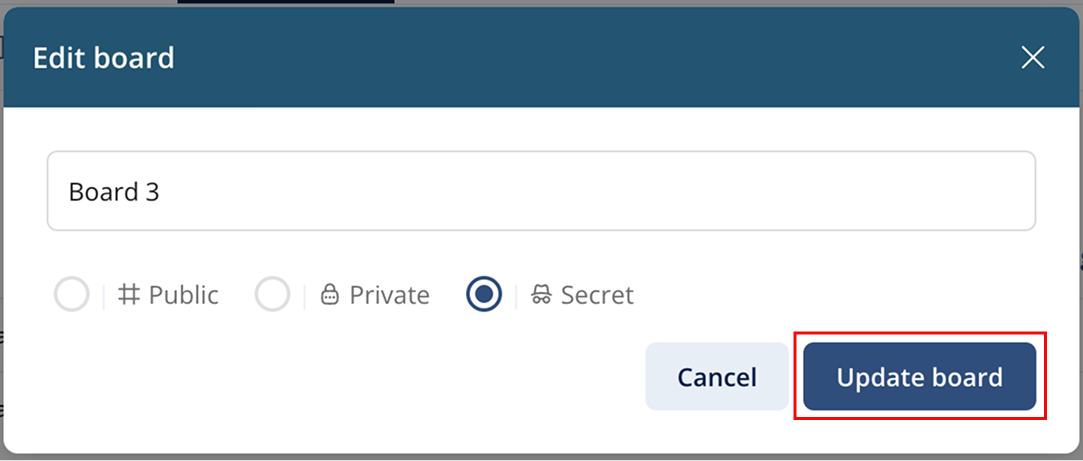
Step 3: Save Changes
Click 'Save' to apply changes. The updated board reflects immediately for all members.