Workspaces in Alliesia
Delete a Workspace in Alliesia
If a workspace is no longer needed, you can delete it directly from the Sidebar. Alliesia ensures this process is fast but secure.
Click the three-dot menu next to the workspace name and select 'Delete Workspace'. A confirmation prompt will appear to prevent accidental deletion.
Step 1: Access the Delete Option
Find the workspace in your Sidebar, click the three-dot menu, and choose 'Delete Workspace'.
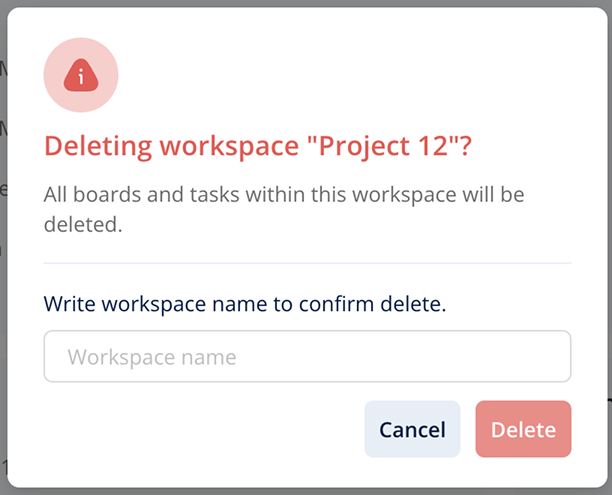
Step 2: Confirm Deletion
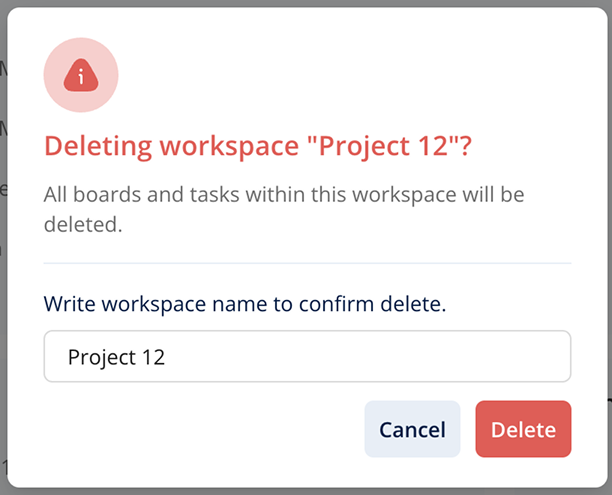
A pop-up will ask you to confirm the deletion. Click 'Confirm' to permanently delete the workspace. Deleted workspaces cannot be restored, so be sure before confirming.
Important Notes
- Only admins or workspace owners can delete workspaces or people with full access.
- Deleting a workspace will remove all projects, boards, and tasks contained in it.
- Consider archiving important information before deletion.