Channels in Alliesia
Delete a Channel in Alliesia
If a channel is no longer required, you can remove it from the board.
Step 1: Open Channel Menu
Locate the channel and click the three-dot menu next to its name.
Step 2: Delete Channel
Select 'Delete Channel'. A confirmation prompt will appear to prevent accidental deletion.
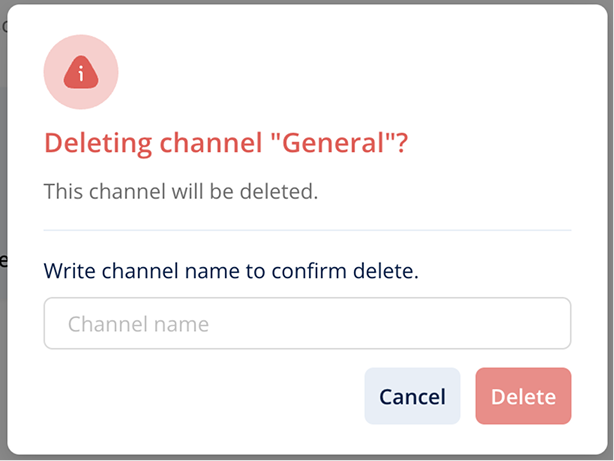
Step 3: Confirm Deletion
Click 'Confirm'. The channel and its messages will be permanently removed.