Boards in Alliesia
Create a Board in Alliesia
Creating a board in Alliesia is fast and intuitive. Boards are organized as horizontal tabs within a workspace, giving you quick access to multiple projects.
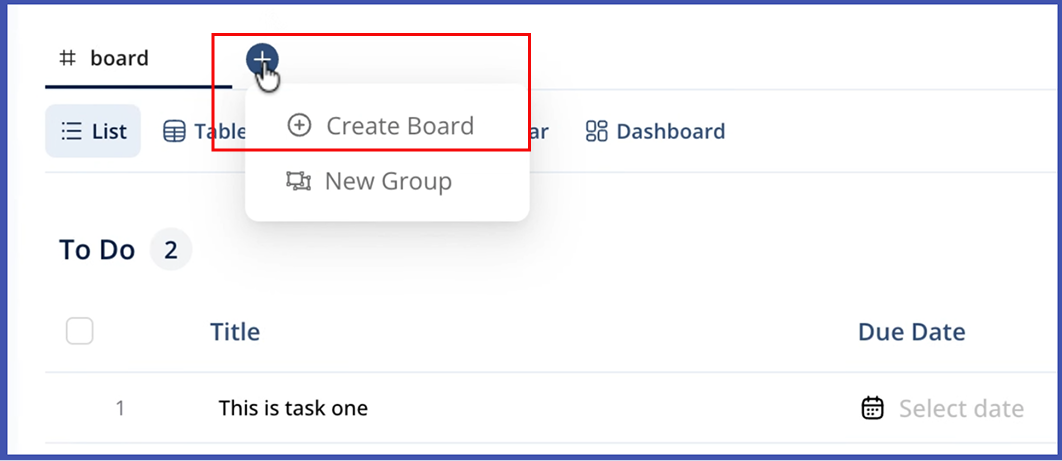
Step 1: Access the Create Board Option
Click the '+' icon in the workspace’s horizontal tabs or use the workspace menu to select 'Create Board'.
Step 2: Enter Board Details
Provide a descriptive name for your board and choose the type: Public, Private, or Secure. Adding a description helps team members understand the board's purpose.
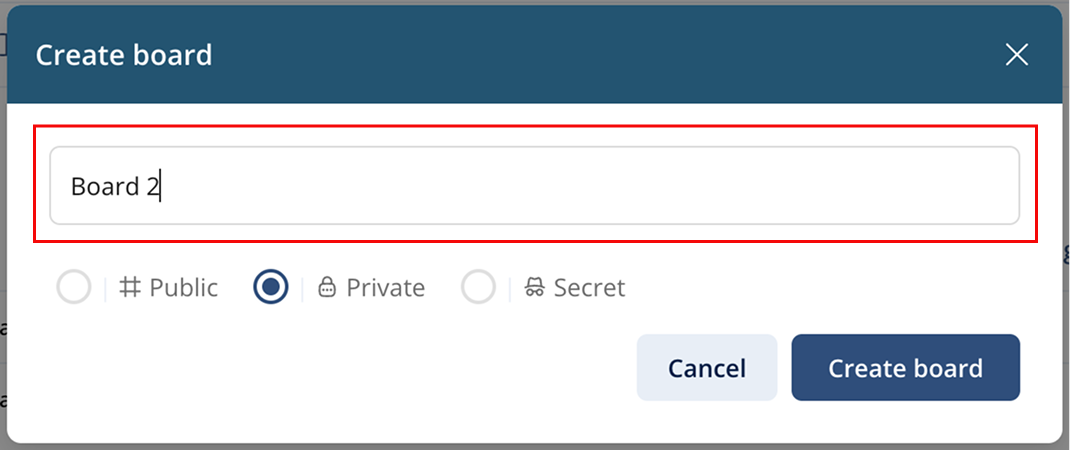
Step 3: Confirm and Create
Click 'Create' to instantly add your board. It will appear as a new tab within the workspace. You can now start adding tasks, columns, and members.
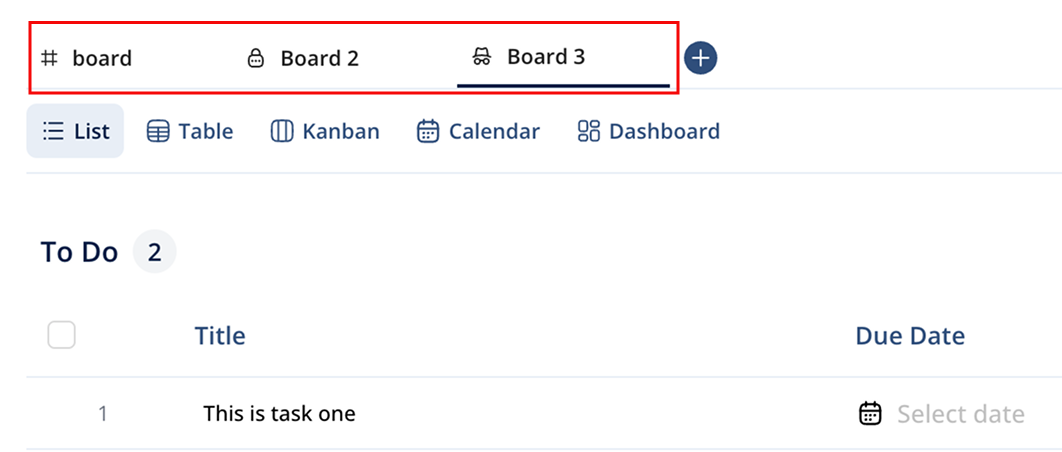
Tips for Effective Board Setup
- Use clear board names for easy navigation.
- Select the appropriate board type based on privacy needs.
- Organize columns and categories from the start to maintain structure.
- Start with essential members and add more as the project evolves.